How to update a ROM
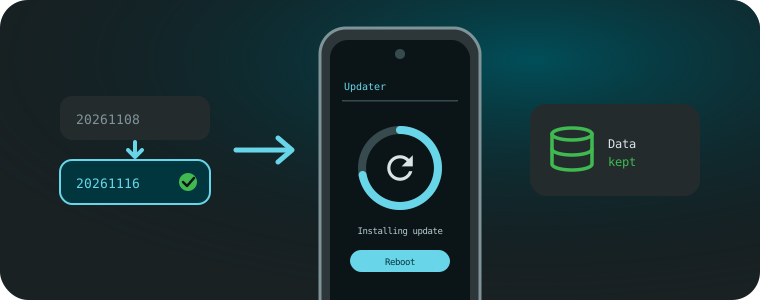
Update to a newer build of the same ROM, keeping your data.
Updated: 2026-11-16
Before you start: an update keeps your data, but it’s always a good idea to back up first.
This only works between builds of the same ROM and the same build type: official to official, or test to test. Switching to another ROM, or between official and test builds, needs a clean install.
Requirements
- The ROM already installed on your phone
- Platform tools (adb) on your PC
- The new ROM zip from your device page
Official builds
Official LineageOS builds update by themselves: go to Settings → System → Updater, download the new build and tap Install. The phone reboots when it’s done.
Test builds and manual updates
- Turn on USB debugging in Developer options, connect the phone and reboot to recovery:
adb reboot recovery - In the recovery, choose Apply update → Apply from ADB and send the new ROM from your PC:
adb -d sideload rom.zip - When it finishes, choose Reboot system now.
Don’t format data: that would erase everything, and an update doesn’t need it.
Antes de empezar: una actualización conserva tus datos, pero siempre conviene respaldar primero.
Esto solo funciona entre builds de la misma ROM y del mismo tipo: oficial a oficial, o de prueba a de prueba. Cambiar a otra ROM, o entre builds oficiales y de prueba, requiere una instalación limpia.
Requisitos
- La ROM ya instalada en el teléfono
- Platform tools (adb) en tu PC
- El zip de la nueva ROM, desde la página de tu dispositivo
Builds oficiales
Las builds oficiales de LineageOS se actualizan solas: ve a Ajustes → Sistema → Actualizador, descarga la nueva build y toca Instalar. El teléfono se reinicia al terminar.
Builds de prueba y actualización manual
- Activa la Depuración USB en las Opciones de desarrollador, conecta el teléfono y reinicia en recovery:
adb reboot recovery - En el recovery, elige Apply update → Apply from ADB y envía la nueva ROM desde tu PC:
adb -d sideload rom.zip - Cuando termine, elige Reboot system now.
No formatees los datos: borraría todo y una actualización no lo necesita.