How to unlock the bootloader
Original unlocking method for Motorola devices, needed before installing any ROM.
Updated: 2026-11-14
Warning: unlocking the bootloader erases all data on your phone. Back up everything you want to keep first.
You only need to do this once per device.
Requirements
- A Motorola or Google account to sign in to the Motorola unlock page
- Platform tools (adb and fastboot) on your PC
- Battery charged to at least 60%
- A device sold unlocked: some carrier versions can’t be unlocked
Steps
- Enable Developer options: go to Settings → About phone and tap Build number 7 times.
- In Settings → System → Developer options, turn on OEM unlocking and USB debugging. If OEM unlocking is greyed out, keep the phone connected to the internet for a few days and try again.
- Connect the phone to your PC and reboot to fastboot:
adb reboot bootloader - Check that the phone is detected, then ask it for its unlock data:
fastboot devices fastboot oem get_unlock_data - Join the lines it prints into one single line: drop the
(bootloader)prefixes and all spaces. - Open the Motorola unlock page, sign in, paste the line, check that your device can be unlocked, accept the terms and request the key. Motorola sends the unlock key by email.
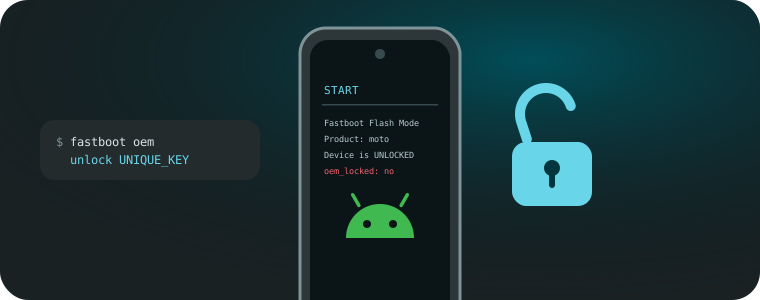
- Unlock with the key from the email:
fastboot oem unlock UNIQUE_KEYIf the phone asks to confirm, run the same command again.
- Reboot. The phone starts from zero, so turn USB debugging on again before installing a ROM.
A warning screen saying the bootloader is unlocked will appear on every boot: that’s normal.
Advertencia: desbloquear el bootloader borra todos los datos del teléfono. Respalda primero todo lo que quieras conservar.
Solo hay que hacerlo una vez por dispositivo.
Requisitos
- Una cuenta de Motorola o de Google para entrar a la página de desbloqueo de Motorola
- Platform tools (adb y fastboot) en tu PC
- Batería cargada al menos al 60%
- Un equipo liberado: algunas versiones de operadora no se pueden desbloquear
Pasos
- Activa las Opciones de desarrollador: ve a Ajustes → Acerca del teléfono y toca Número de compilación 7 veces.
- En Ajustes → Sistema → Opciones de desarrollador, activa Desbloqueo OEM y Depuración USB. Si el desbloqueo OEM aparece en gris, deja el teléfono conectado a internet unos días y vuelve a intentarlo.
- Conecta el teléfono al PC y reinicia en fastboot:
adb reboot bootloader - Comprueba que el teléfono se detecta y pídele sus datos de desbloqueo:
fastboot devices fastboot oem get_unlock_data - Une las líneas que muestra en una sola línea: quita los prefijos
(bootloader)y todos los espacios. - Abre la página de desbloqueo de Motorola, inicia sesión, pega la línea, verifica que tu equipo se puede desbloquear, acepta los términos y solicita la clave. Motorola envía la clave de desbloqueo por correo.
- Desbloquea con la clave del correo:
fastboot oem unlock CLAVE_UNICASi el teléfono pide confirmar, ejecuta el mismo comando otra vez.
- Reinicia. El teléfono parte de cero, así que vuelve a activar la Depuración USB antes de instalar una ROM.
En cada encendido aparecerá una pantalla avisando que el bootloader está desbloqueado: es normal.